

Know the odds of every fight.
The free Hearthstone Battlegrounds deck tracker and overlay for Windows.
- Free to download
- Solo and Duos
- Standalone Windows app
- No sign-up or email
- Read-only: never plays for you
Version 0.1.117, Nov 18, 2026. 12 MB, 64‑bit Windows. Updates itself.
Called it.
Win, tie, loss and lethal odds the moment every fight starts. Free
Never miss a triple.
A shop minion that completes a triple gets marked the moment Bob offers it. Free with sharing
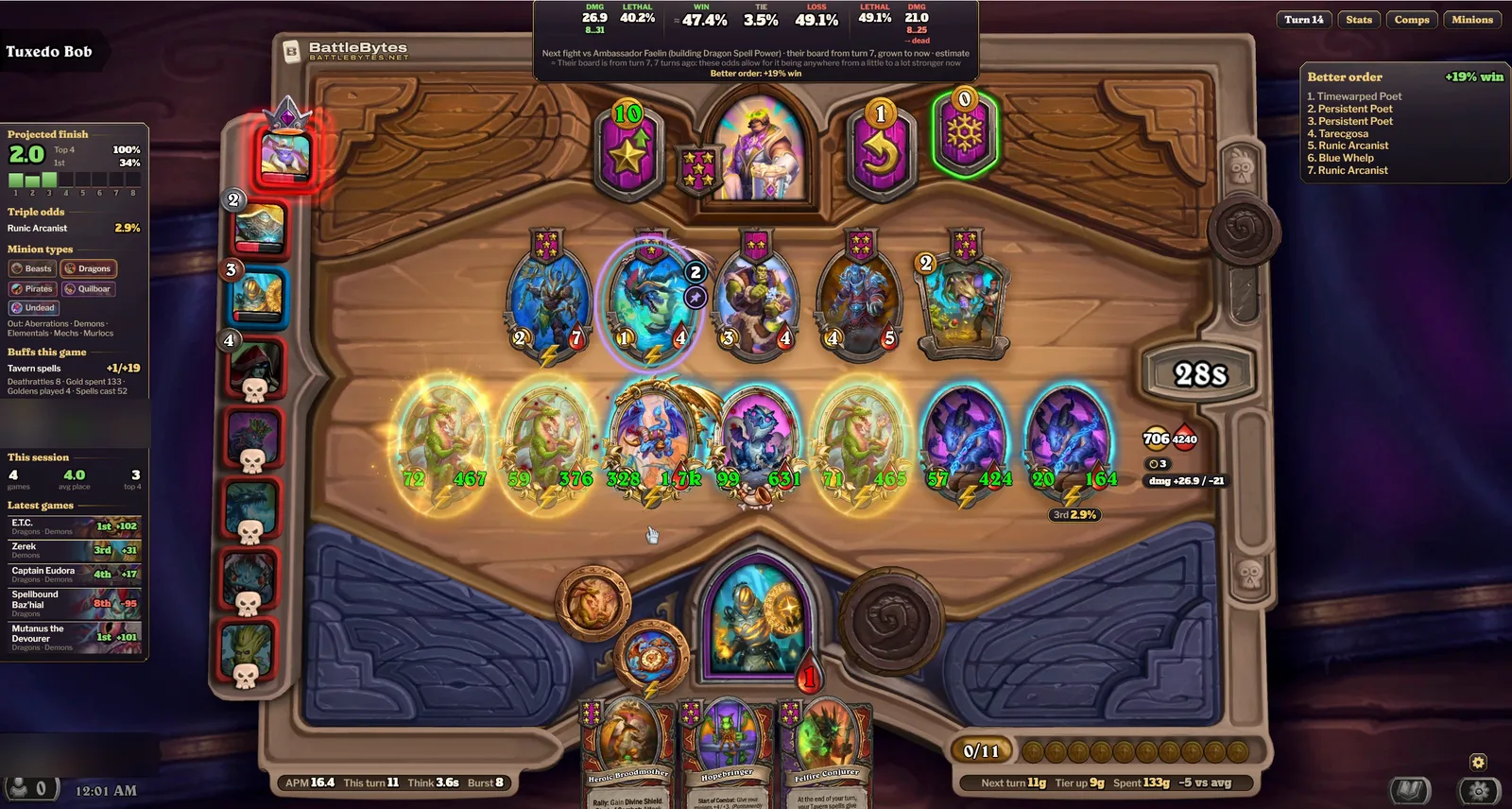
Same minions. Better order.
It finds an order for your board with better odds in your next fight, even against an opponent you haven't faced yet. Pro
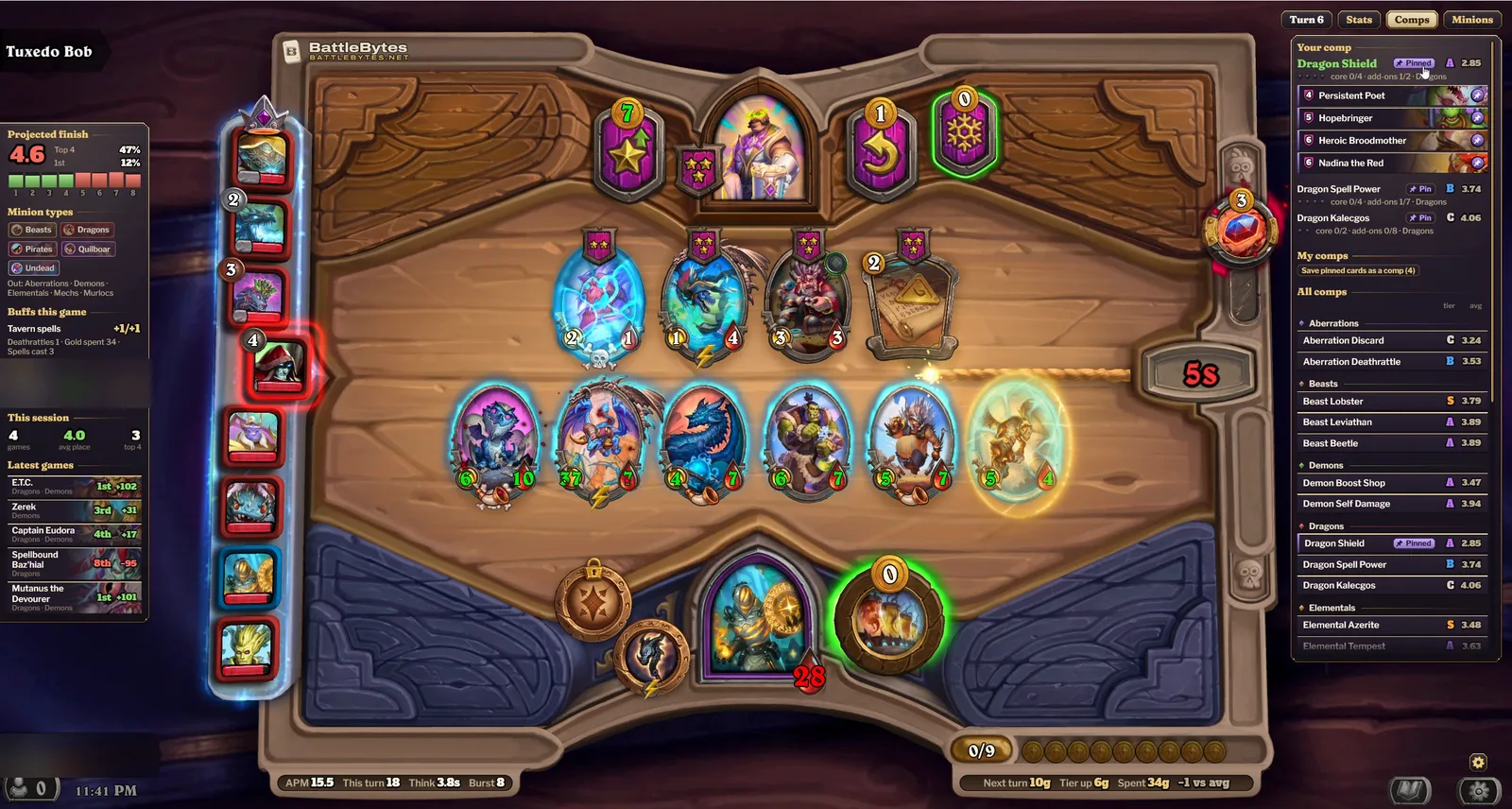
Pin your comp.
Pin a comp and its key pieces light up whenever the shop offers them. Free
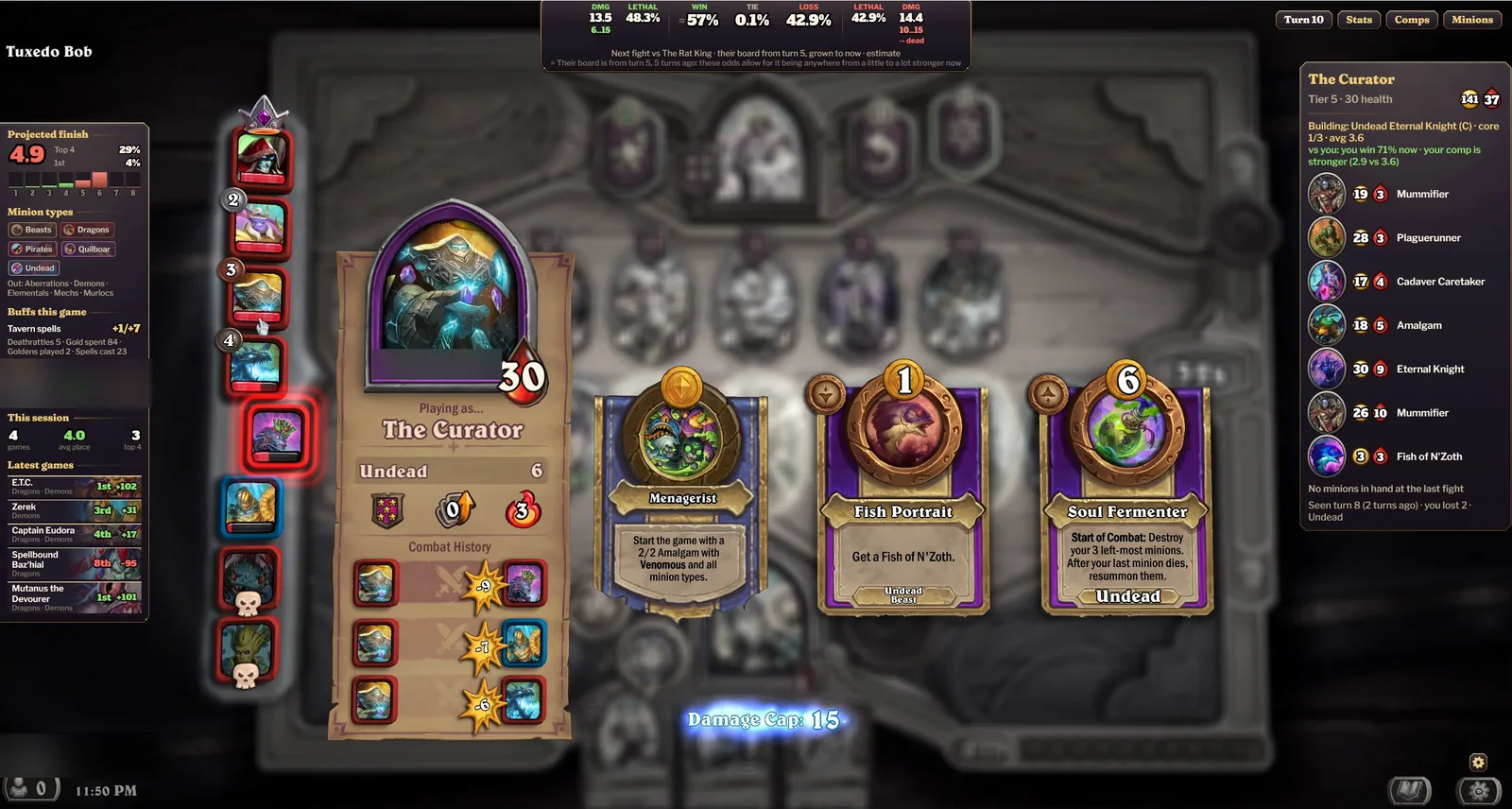
See their board.
Hover an opponent for the board they last brought against you and the comp they're building. Free
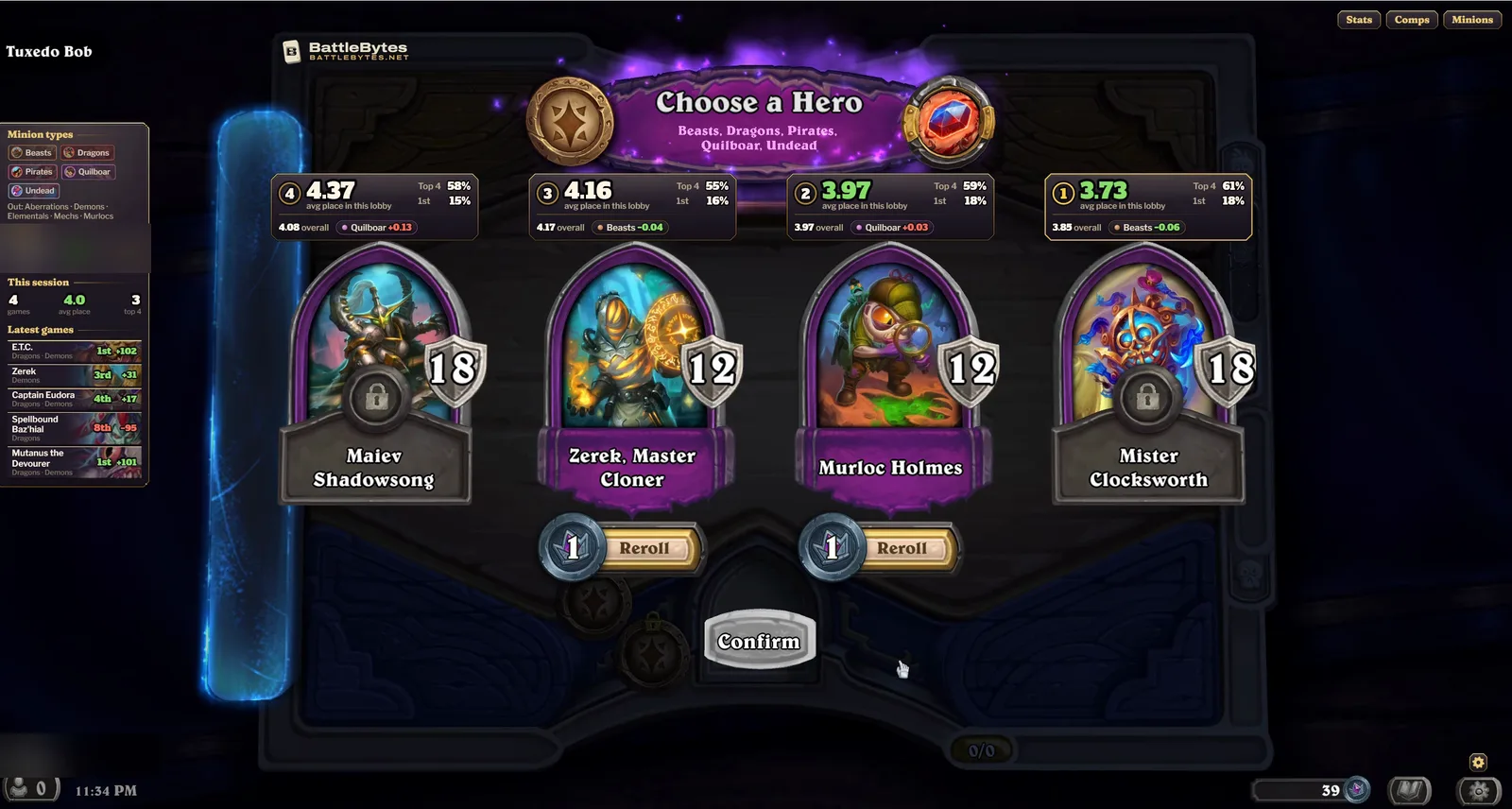
Pick the right hero.
Average place for this lobby's minion types, plus top 4 and first-place rates, for every hero you're offered. Free
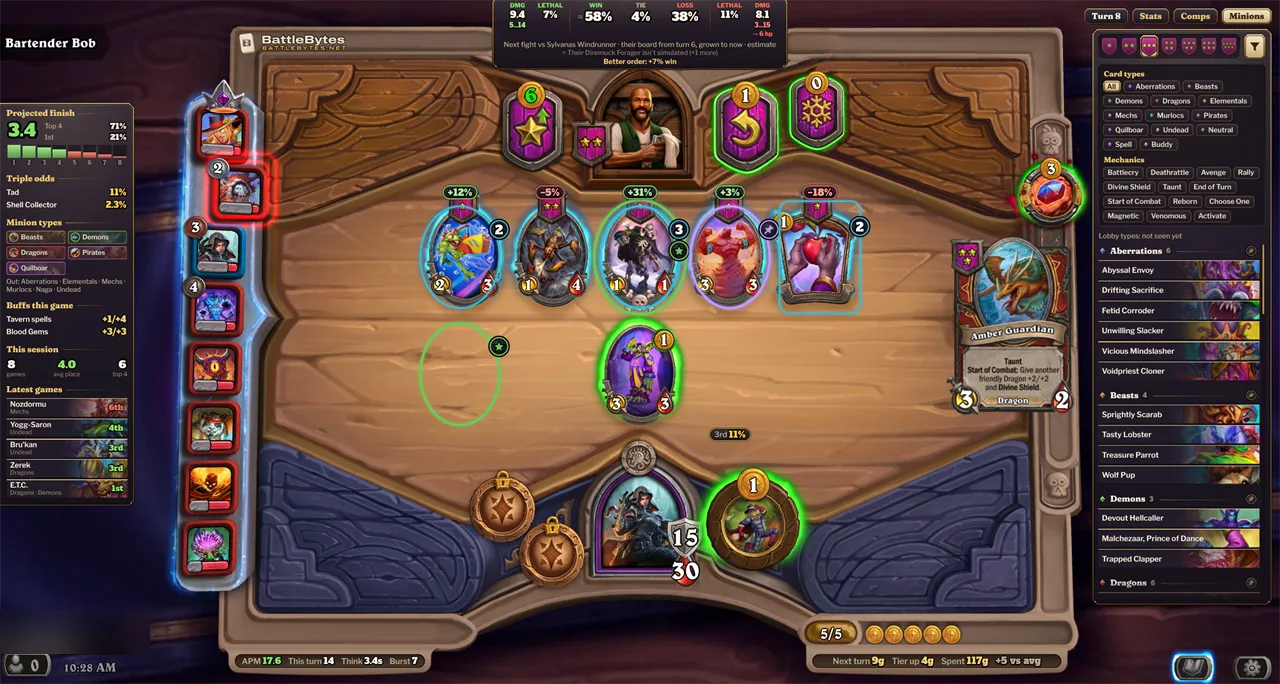
Six looks. Pick yours.
Switch any time in Settings. Free
Free and Pro
Pro is free for a year for alpha players who share their games.
| Feature | Free | Pro |
|---|---|---|
| Fight odds bar, during fights, with a win chance that moves as the fight plays | Included | Included |
| After each fight: how likely the result was, your MVP minion and your luck this game | Included | Included |
| Board totals | Included | Included |
| Opponent boards on hover | Included | Included |
| Opponent comp tracking: what each opponent is building, on hover, and their health and main minion type right on the leaderboard | Included | Included |
| Hero and trinket pick stats for your solo rating | Included | Included |
| Comps panel, plus pin and comp marks | Included | Included |
| My comps: save the cards you build around as your own comp, and pin it again in one click in later games | Included | Included |
| Minion browser | Included | Included |
| Side panel with your session | Included | Included |
| Queue panels beside the Finding opponents wheel | Included | Included |
| Game replays: your last 50 games turn by turn, with the shops, boards and fights the tracker saw and, where it had them, the fight odds | Included | Included |
| Hero stats: your results and the rating you won or lost with every hero and main minion type, solo and Duos kept apart, and a spreadsheet of your games | Included | Included |
| Pro preview games | 5 a week | Not needed |
| Synergy rings and triple marks | If you share games | Included |
| Triple odds: the chance of finding the third copy of a pair | Not included | Included |
| Gold line | Not included | Included |
| Lobby review between games | Not included | Included |
| Look-ahead fight odds: in the shop, an estimate of your next fight from real boards of the same turn, weighted by how that opponent is doing, with a confidence level | Not included | Included |
| Your win chance against each opponent | Not included | Included |
| Projected finish | Not included | Included |
| Buy, level-up and board order advice | Not included | Included |
| Game stats: the stats panel, and live actions per minute on screen | Not included | Included |
| Fight simulator: change either board of a fight, from a replay or the game you're in, and see the odds | Not included | Included |
Alpha build. Features can change between builds.
Questions
- What does it read?
- The log file Hearthstone writes while you play, plus a few values read from the game's memory, such as the lobby's minion types. The reading is one-way: it never writes to the game's memory, injects code into it, or clicks or plays for you. Each time it starts, it makes sure Hearthstone's game logging is on; if it had to switch it on, restart the game once.
- Can I get banned for using it?
- We can't speak for Blizzard, so we can't promise anything on its behalf. What we can tell you is exactly what the tracker does: it reads the log file Hearthstone writes and a few values from the game's memory. It never writes to the game's memory, injects code into it, or clicks or plays for you.
- What do I need?
- 64-bit Windows and Hearthstone. Run the installer and it sets up everything the tracker needs.
- Does it work on a Mac or a phone?
- No. It runs on 64-bit Windows PCs only.
- Does it work in Duos?
- Yes. In Duos it shows your team's battle odds during each fight (still marked beta), keeps your Duos stats and MMR apart from solo, and marks the tavern minions your teammate's comp still needs.
- Does it slow my game down?
- On our test PC, in the middle of a game, it used about 0.3% of the CPU and about 300 MB of memory. It runs at below-normal priority, so the game always comes first.
- Does it update itself?
- Yes, from version 0.1.26 (Nov 9, 2026). It checks for a new version every 30 minutes and installs it when you're not in a game, unless you switch that off in the tray menu. From version 0.1.111, an update we mark as an urgent fix installs between fights, even during a game and even with that switch off. If you installed an older version, download and run the installer once and let it replace the old version. Your account, games and settings are kept, and it keeps itself up to date from then on.
- Why does Windows warn me when I install it?
- Alpha builds aren't code-signed yet, so Windows SmartScreen shows "Windows protected your PC". Choose More info, then Run anyway.
- Windows won't run the installer at all. Why?
- On Windows 11 PCs with Smart App Control switched on, Windows can block apps that aren't code-signed, and it offers no Run anyway option. Alpha builds aren't code-signed yet, so on those PCs the installer may not run. To see whether it's on, open Windows Security, then App & browser control, then Smart App Control settings. If that's what's stopping you, contact us.
- How do I get Pro free?
- Join the alpha: in the tracker, open Settings, then Account, and switch on "Alpha: share your games, get Pro free". You get every Pro feature for 365 days from the day you join, as long as sharing stays on.
- What does sharing send?
- One record per finished game: your hero and the heroes you were offered, placement, turns, final tavern tier, game mode (such as solo or Duos), start and end time, the lobby's minion types and anomaly, your final board, the trinkets you were offered and took, your opponents' heroes, the boards you fought and where each opponent finished, turn-by-turn health, gold and fights, the patch and the tracker version, plus a compact capsule of the match: your shop, your hand, your board, every fight blow by blow, the other players' standings, what the tracker worked out for you, your pace and your rating. No BattleTags, names or account details. The full list is on the privacy page.
- Do I need an account or an email?
- No. The tracker makes an anonymous account the first time it runs and keeps a recovery code for it. To see it, right-click the BattleBytes icon in the Windows taskbar and choose Enter a key… (in version 0.1.0 it's in Settings, then Membership). Use the code to move your account, and your Pro time, to another PC. An account works on up to two PCs.
- How do I delete my account and data?
- In Settings, then Account, choose Delete my account & data and click again to confirm. It erases your account, any Pro or alpha membership, your feedback reports and the game data you've shared, on our servers, in our archive and on your PC, and turns sharing off. Copies in our daily backups are gone within 14 days.
- How do I uninstall it?
- Open Windows Settings, then Apps, find BattleBytes Deck Tracker and choose Uninstall. That removes the app and its Start with Windows entry. Your game history, stats and settings stay on your PC, so reinstalling keeps them.
Need help?
If it won't install or start, contact Akiva Solutions LLC and tell us what Windows showed. Once it runs, Send feedback in the tracker reaches us directly.